
If you previously disconnected your Airbnb account from Your.Rentals and want to restore the connection, follow the steps below. Full connection re-establishes two-way sync, with YR acting as the source of truth for your listing data, channels, bookings, and guest messages, with a single login.
Before you start
Log in to the Airbnb account you want to reconnect to before starting in YR. This makes sure the connection links to the correct account.
Steps
- Log in to Your.Rentals.
- Go to Channels in the top navigation bar, then choose Airbnb Connections.

- Click Reconnect for the account you want to reconnect.
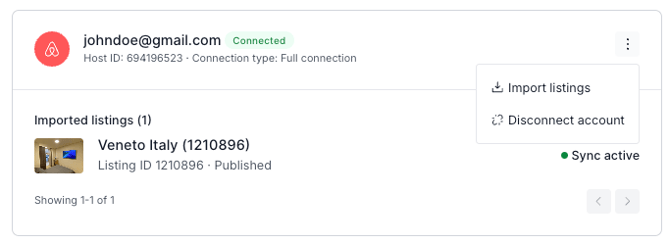
- You’ll be guided to Airbnb’s authorization screen. Confirm the permissions.
- Back on the Airbnb connections page in YR, click Activate sync for each listing where you want to enable full synchronization. If your listing is in status ‘Paused’, the sync won’t take effect until you publish your listing.
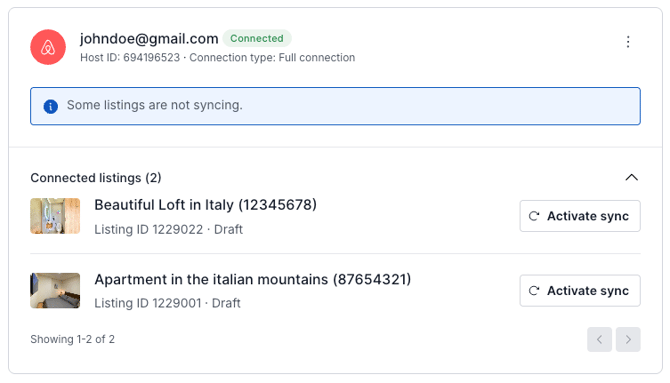
- Go to Listings in the top navigation bar and open the listing you want to republish.
- Review that all listing details are up to date.
- Publish your listing(s).
What happens next
Once you re-publish, YR starts syncing with Airbnb. For every re-synced and re-published listing, your listing data is sent to Airbnb, and bookings and guest messages are imported back into YR. Please note that it might take up to 1h until you see all your Airbnb data in YR.