
If you want to send your listing to other Sales Channels through Your.Rentals, but don’t want changes to affect your Airbnb listing, it is possible to disable the Full sync. Your Airbnb listing stays fully managed on Airbnb, while YR handles your other channels.
Before you start
Note: This option is only available after you’ve disconnected your Airbnb account from YR. While the Full connection is still active, YR remains the source of truth, and the sync to Airbnb cannot be stopped. To disconnect, see the article “Stop sync for Airbnb (Full connection).”
Important: Without Full sync, YR and Airbnb won’t share calendar availability automatically anymore. You must add an iCal feed from Airbnb during the Calendar sync step to prevent double bookings.
Steps
- Go to Listings in the top navigation bar.
- Open the listing you want to republish without syncing to Airbnb.
- Review that all listing details are up to date.
- In the Calendar sync step, paste the iCal link from your Airbnb listing.
- Don’t forget to paste YR’s iCal into your Airbnb calendar settings. This blocks dates booked through YR on your Airbnb calendar.
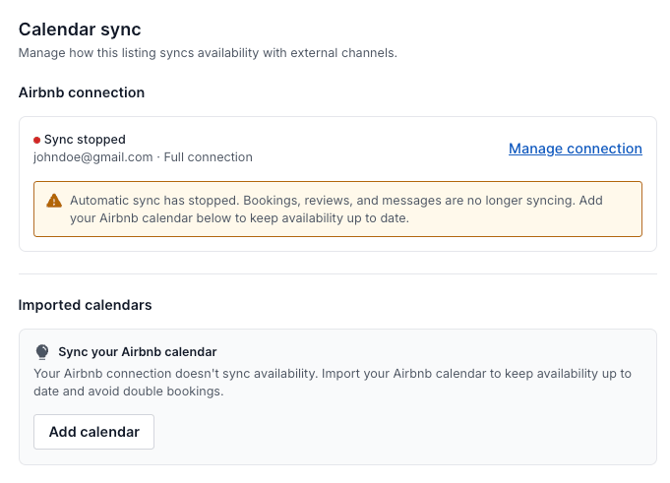
- Re-publish the listing to your selected channels.
What happens next
Your listing will be sent to your selected Sales Channels without syncing to Airbnb. Availability stays aligned through the iCal feed you added.
If you later decide to restore the Full connection for this listing, follow the steps in “Re-connect your Airbnb account (Full connection).”